Etterna Support

Know your Dan level

in real time.

Connects to tosu or Etterna, reads your current chart, and estimates its Dan tier live. Powered by the new ISOR engine — ranked #1 on VSRG Dan benchmarks — featuring native Etterna simfile support (.sm/.ssc), Wife% accuracy tracking, and 9 customizable overlay skins.

osu!mania
osu!mania 4K & 7K · tosu Bridge
Etterna
Etterna Native .sm/.ssc · Wife%
9 HUD Skins
·
7K / 4K 15 Dan Tiers (α–κ)
·
Rank #1 Benchmark Accuracy
·
Free & Open Source
Monolith Collapsed Monolith Expanded
COLLAPSED Monolith UI-4
Broadcast Collapsed Broadcast Expanded
COLLAPSED Broadcast UI-5
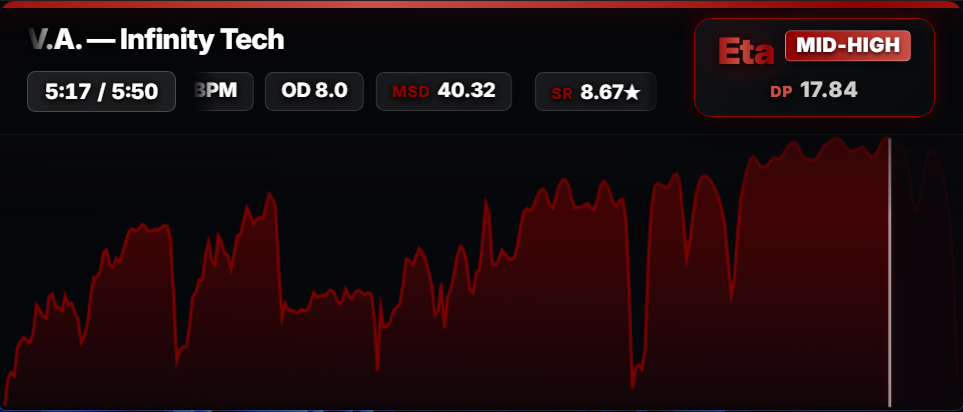
Vignette Collapsed Vignette Expanded
COLLAPSED Vignette UI-6
Alphaα
Betaβ
Gammaγ
Deltaδ
Epsilonε
Zetaζ
Etaη
Thetaθ
Iotaι
Kappaκ

Ten Reform tiers · α through κ · logos by icyilc
Core Architecture & Capabilities

Real-time difficulty evaluation, pattern classification, and telemetry for competitive VSRGs.

01
osu!mania

Live Dan Estimation

Calculates Reform and Celestial Dan ratings instantly upon song select. Evaluates sustained physical strain, local note density, and difficulty progression using calibrated isotonic regression curves.

02
Etterna

Native Etterna Compatibility

Directly parses .sm and .ssc simfiles with real-time rate scaling (0.5×–2.0×). Injects theme telemetry hooks for Til Death, Rebirth, and Simply Love while evaluating live Wife% accuracy metrics.

03
MinaCalc MSD

Skillset & Pattern Breakdown

Breaks down charts into granular archetypes including Chordjacks, Jumpstream, Handstream, Tech, and Stamina. Computes continuous NPS distributions and dominant MSD difficulty components.

04
HUD Customization

HUD Skins & Density Graph Export

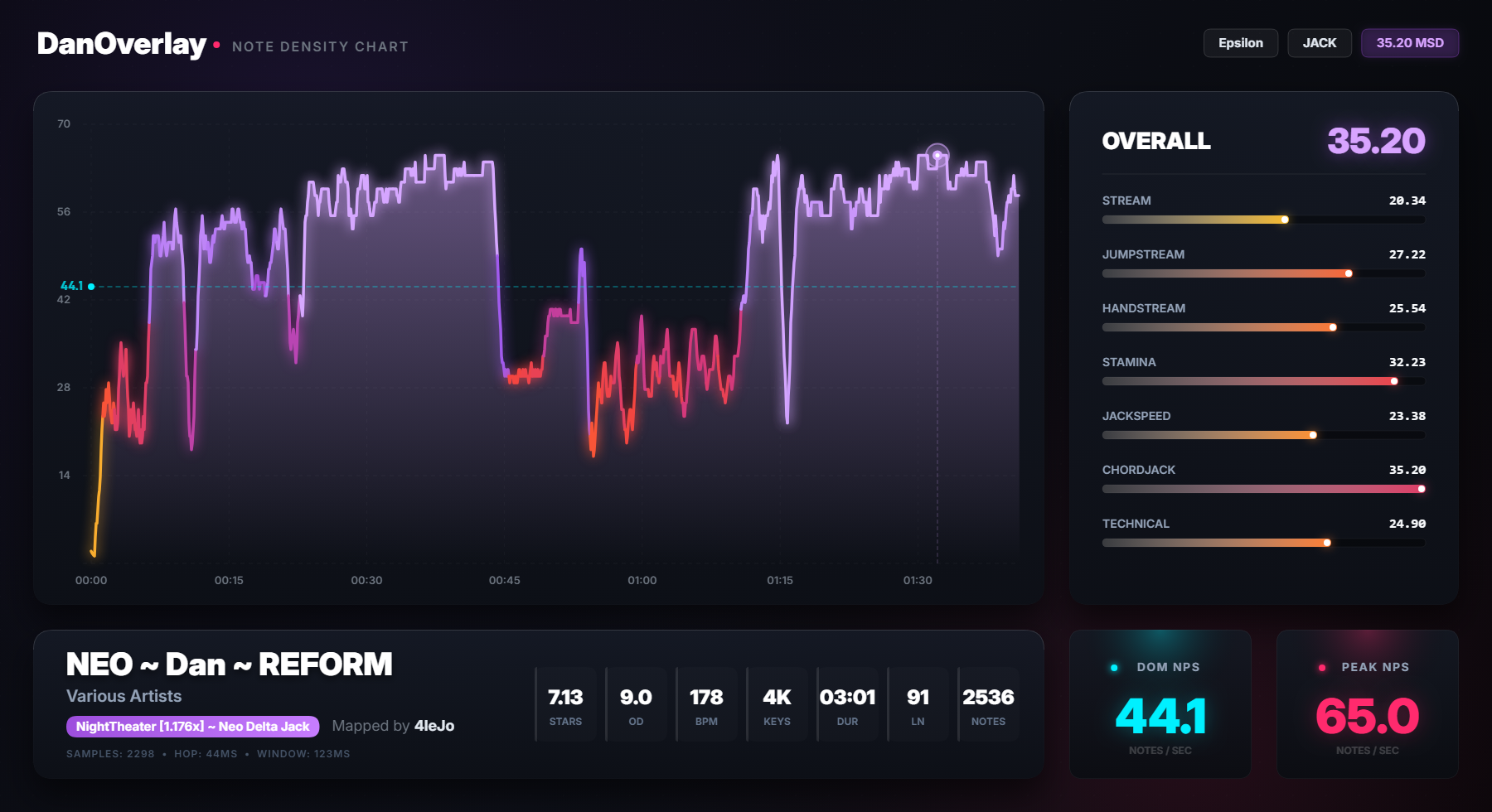
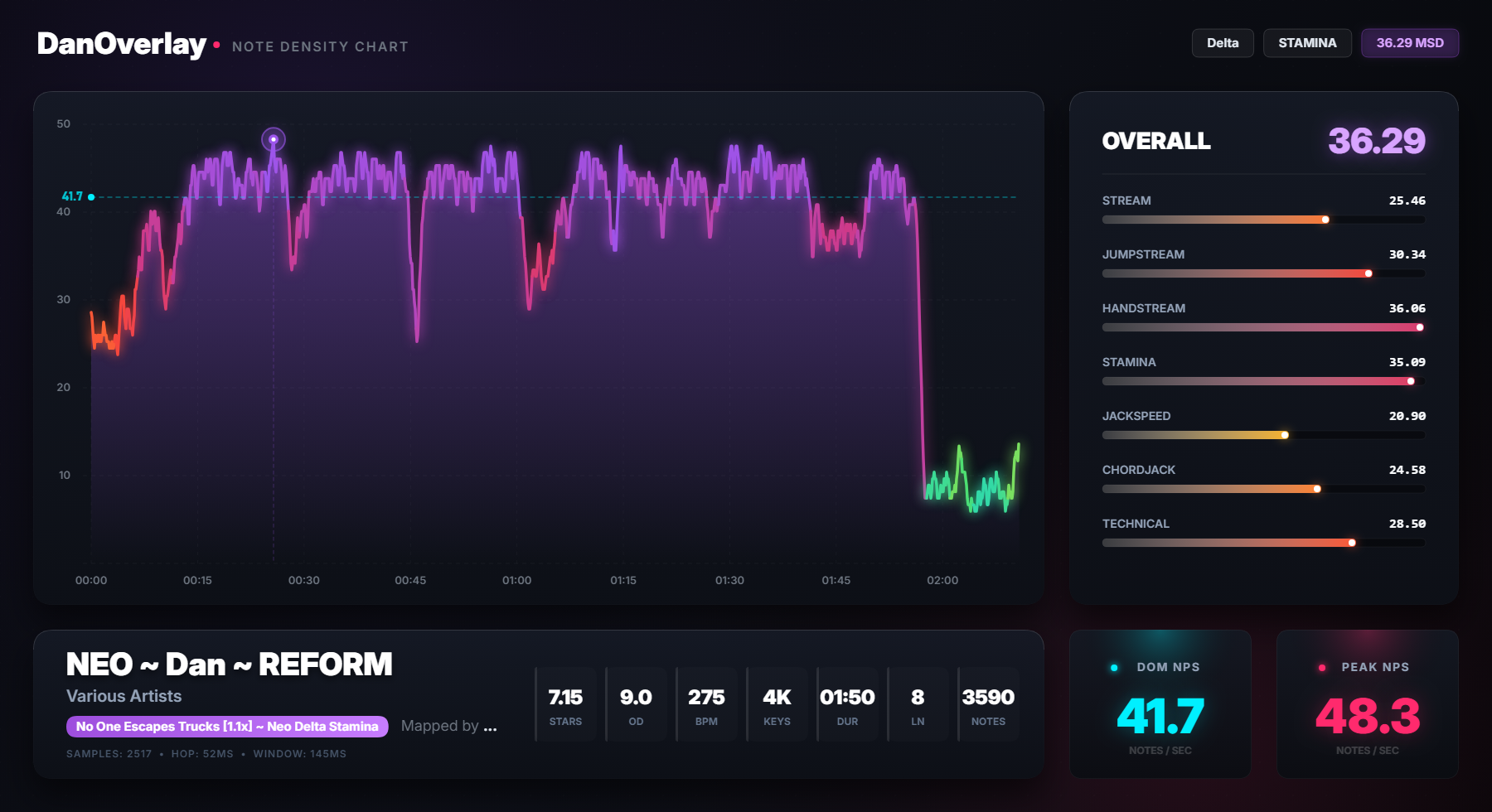
Includes nine customizable HUD presets with configurable window positioning, opacity, and blur settings. Press G to render high-resolution PNG density charts directly to your Desktop.

v3.0.0 Engine osu!mania 4K Rice

Introducing ISOR

Isotonic · Strain · Organic · Residual

DanOverlay v3.0 introduces ISOR, a high-precision Dan estimation engine specifically engineered for osu!mania 4K rice. Designed to eliminate heuristic step cliffs and rate discontinuities, ISOR calculates difficulty through four continuous physiological and mathematical pillars:

I
Isotonic (PAVA)

Pool Adjacent Violators monotonic calibration on difficulty frontier anchors, guaranteeing strictly monotonic tier progression across rate changes.

S
Strain Physics

Models physical finger stamina and muscular fatigue across dual-decay biomechanical streams combined with Shannon column transition entropy.

O
Organic Triangulation

Continuous convex triangulation synthesizing modulated Star Rating, burst choke density, and MinaCalc skillset profiles.

R
Residual Meta-Layer

An L2-regularized Ridge meta-layer correcting non-linear residuals over a 98-dimensional feature vector for smooth C⁰ continuous accuracy.

Target Scope & Map Support: ISOR is exclusively designed and calibrated for osu!mania 4K Rice beatmaps (available under Reform and Celestial modes). It does not estimate Long Note (LN-dominant) or 7K charts — for 7K and legacy courses, DanOverlay seamlessly switches to its calibrated legacy estimation engine.
Read ISOR Algorithm Documentation (ISOR.md) Download Benchmark Results (ISOR.csv)

Benchmark Results

ISOR was measured locally against every public Dan estimation engine using the methodology and map pool of Leo_Black's VSRG DanEstimation Benchmark (osu!mania 4K rice). It ranks #1.

#1 Global rank · Tiers 11–17
0.2110 MAE · 485 maps · 100% coverage
60.0% Exact · within ±0.20 Dan
93.2% Close · within ±0.50 Dan

The core arena — 485 benchmark maps across tiers 11.0 to 17.0. Lower MAE is better.

Rank Engine Coverage MAE RMSE Exact ≤0.20 Close ≤0.50
#1 ISOR (DanOverlay v3.0) 485 / 485 (100%) 0.2110 0.2790 60.0% 93.2%
#2 ROXY (Leo_Black) 480 / 485 (99.0%) 0.2191 0.2966 59.4% 92.9%
#3 Mixed 485 / 485 (100%) 0.2329 0.3308 58.4% 92.0%
#4 Azusa 485 / 485 (100%) 0.2795 0.3820 46.4% 88.7%
#5 Daniel 481 / 485 (99.2%) 0.3116 0.4535 46.4% 83.6%
#6 Companella 485 / 485 (100%) 0.4409 0.6120 35.5% 70.1%
#7 Sunny 485 / 485 (100%) 0.5478 0.7517 32.2% 56.9%

Accuracy distribution per engine

Exact ≤0.20 Close ≤0.50 Moderate ≤1.00 Miss >1.00
ISOR
60.0 33.2
ROXY
59.4 33.5
Mixed
58.4 33.6
Azusa
46.4 42.3
Daniel
46.4 37.2
Residual Error Distribution (Δ = Estimated − Expected Dan) 485 Maps

Probability density histogram of delta errors on the High Rice scale (Tiers 11–17). ISOR demonstrates the tightest normal clustering around 0.00 error (MAE 0.2110, σ = 0.2790).

MAE by Mechanical Pattern Skillset Tiers 11–17

Direct comparison of Mean Absolute Error across mechanical archetypes on the core benchmark pool. Lower MAE is better.

Full coverage run — 644 maps across the entire rice scale, tiers 1.0 to 18.0.

Rank Engine Coverage MAE RMSE Exact ≤0.20 Close ≤0.50
#1 ISOR (DanOverlay v3.0) 644 / 644 (100%) 0.2920 0.4157 50.8% 84.2%
#2 Mixed 644 / 644 (100%) 0.3019 0.4338 50.5% 83.2%
#3 Azusa 644 / 644 (100%) 0.3370 0.4657 41.6% 80.1%
Daniel Partial scope 522 / 644 (81.1%) 0.3193 0.4633 46.6% 82.2%
ROXY Partial scope 502 / 644 (78.0%) 0.2414 0.3372 57.2% 90.2%
#4 Companella 644 / 644 (100%) 0.5420 0.8050 32.5% 64.1%
#5 Sunny 644 / 644 (100%) 0.6196 0.8500 30.1% 52.8%

Daniel and ROXY run on a partial scope of the full-scale pool (81.1% and 78.0% coverage respectively), so their numbers are not directly comparable to the 100%-coverage engines. ISOR estimates every map on the scale.

Full Rice Scale Calibration Scatter (Tiers 1.0–18.0) 644 Beatmaps

All 644 evaluated rice beatmaps plotted against the ideal identity line (y = x). Shaded corridors highlight exact fit (≤0.20 Dan) and close fit (≤0.50 Dan) tolerance bands. Hover any point to inspect full beatmap details.

The 60 verified canon maps of the official Dan Reform course packs (DDMythical, Emik03, Thaumiel, Cloverwisp) — held out from calibration.

ISOR (DanOverlay v3.0) 60 / 60 · 100%
MAE0.3213
RMSE0.4503
Exact ≤0.2040.0%
Close ≤0.5085.0%
ROXY (Leo_Black) 46 / 60 · 76.7% partial
MAE0.2435
RMSE0.3231
Exact ≤0.2056.5%
Close ≤0.5093.5%
Daniel 51 / 60 · 85.0% partial
MAE0.3235
RMSE0.4286
Exact ≤0.2039.2%
Close ≤0.5078.4%
Mixed 60 / 60 · 100%
MAE0.3433
RMSE0.5199
Exact ≤0.2051.7%
Close ≤0.5083.3%
Sunny (Native) 60 / 60 · 100%
MAE0.3450
RMSE0.5074
Exact ≤0.2056.7%
Close ≤0.5070.0%
Azusa 60 / 60 · 100%
MAE0.3552
RMSE0.4762
Exact ≤0.2038.3%
Close ≤0.5078.3%
Companella 60 / 60 · 100%
MAE0.7313
RMSE1.0728
Exact ≤0.2035.0%
Close ≤0.5058.3%

ROXY (46/60) and Daniel (51/60) cover only part of the canon pool, so only their MAE is directly comparable. ISOR estimates every canon map — full scope, no exclusions.

Head-to-head — common maps, full rice scale (Tiers 1–18)

ISORvsROXY 502 maps
259 wins · 51.6% 13 ties · 2.6% 230 losses · 45.8%
MAE 0.2333 vs 0.2414
ISORvsMixed 644 maps
324 wins · 50.3% 16 ties · 2.5% 304 losses · 47.2%
MAE 0.2920 vs 0.3019
ISORvsAzusa 644 maps
370 wins · 57.5% 7 ties · 1.1% 267 losses · 41.5%
MAE 0.2920 vs 0.3370
ISORvsDaniel 521 maps
288 wins · 55.3% 4 ties · 0.8% 229 losses · 44.0%
MAE 0.2421 vs 0.3196

Skillset breakdown — ISOR on Tiers 11–17

109 maps
Speed / Bursts
MAE0.1917
RMSE0.2490
Exact ≤0.2067.9%
Close ≤0.5092.7%
181 maps
Jack / Chordjack
MAE0.2036
RMSE0.2688
Exact ≤0.2059.7%
Close ≤0.5093.9%
81 maps
Tech / Poly
MAE0.2198
RMSE0.2801
Exact ≤0.2060.5%
Close ≤0.5095.1%
102 maps
Stamina / JS
MAE0.2283
RMSE0.3149
Exact ≤0.2054.9%
Close ≤0.5093.1%

Evaluation transparency & reproducibility: these benchmark metrics originate from independent local testing conducted to evaluate estimation accuracy, strictly adhering to the methodology and map pool of Leo_Black's VSRG DanEstimation Benchmark.

For 100% reproducible transparency, every single raw prediction row across every benchmark beatmap is publicly auditable and verifiable:

ISOR Algorithm Docs (ISOR.md) View Raw Benchmark Predictions (ISOR.csv) Leo_Black Benchmark Repo ➔

How to use it

Zero configuration required. Select your game below for quick setup instructions:

osu!mania

osu!mania Setup

4K / 7K · tosu Bridge
1
Launch osu!

Open osu! stable or osu! lazer and navigate to song select.

2
Run tosu

A lightweight background reader for live osu! game memory.

3
Launch DanOverlay

Run DanOverlay.exe — auto-connects to tosu instantly.

Etterna

Etterna Setup

Native .sm / .ssc · Auto Lua Bridge
1
Run DanOverlay

Open DanOverlay.exe — auto-detects active Etterna themes.

2
Auto-Theme Bridge

Automatically bridges Til Death, Rebirth, Simply Love, and fallback.

3
Live Simfile & Wife%

Estimates Dan rank, MSD profiles, and Wife% grade badges in real time.

osu! stable — full support Etterna — native .sm/.ssc & Wife% tracking osu! lazer — custom rate changes in HT/DT mods are not detected

Press G. Get a chart.

Click the overlay window and press G to generate a full-resolution density graph — complete NPS timeline with per-skillset MSD bars. Saved to your Desktop automatically.

It's not always right.

Straight answer: it works well most of the time, and then occasionally it'll confidently call your Zeta-tier speedjack map "Delta High" and act completely normal about it.

Wrong reads will happen

Anything with unusual density, hybrid patterns, or charts between two skillsets — the classifier can misfire. Sometimes badly. I hope the upcoming rescues and corrections will help, but honestly some maps are just hard to classify.

Genuinely absurd results are real

If it reads your Eta stamina marathon as "Alpha LOW" — that's not a glitch, it's just the algorithm having a terrible moment. No crash, no warning.

Getting patched, for real

Every bad call gets investigated. The goal is always a structural fix — not a special case for one map, but a change that handles that class of chart correctly.

It's like asking a friend who plays a ton of osu!mania to size up any map on the spot. Knows the Reform pack well, has strong opinions, solid gut reads — and occasionally says something completely unhinged. You still ask anyway.
osu!mania osu!mania
+
Etterna Etterna

Download DanOverlay

v3.1.0 · Standalone .exe · Zero Installation Required

Actively developed — benchmark-verified on 4K rice (Reform & Celestial). LN-dominant charts and 7K are handled by the legacy engine (freely switchable in settings).

Windows 10 / 11 · osu! or Etterna · tosu (osu!) / auto-bridge (Etterna) · 4K or 7K

Changelog

New Game Support — Native Etterna Integration

  • Universal Etterna Compatibility: DanOverlay now natively tracks and estimates Dan difficulty across both osu!mania and Etterna. Connects non-invasively through atomic file-based IPC in the game's Save/ directory.
  • Automatic Lua Theme Bridge Installer: Automatically detects your Etterna installation and injects lightweight bridge scripts into active themes (Til Death, Rebirth, Simply Love, _fallback, etc.) with automated safety backups (.dan_backup) — zero manual setup required under standard configurations.
  • Advanced Simfile Timing Engine: High-precision O(N) parser for .sm and .ssc files with full support for multiple BPM shifts, STOPS, DELAYS, split timings, and hold/roll mechanics in under 15 ms.
  • Dynamic Rate & MSD Sync: Continuous rate scaling (0.5×–2.0×) with instantaneous re-estimation on the song wheel. Reads native Etterna MSD skillset ratings directly from the game client.
  • Wife% Accuracy & Official Grade Badges: Live gameplay tracking with 0% in-game CPU overhead; detects score screens in ScreenEvaluation and renders official Etterna grade badges (AAAAA, AAAA, AAA, AA, A, B, C, D, F) with authentic theme color accents.

Core Engine Performance & Vectorization

  • Linear-Time Choke Point Analyzer: Refactored extract_choke_and_local_strains from O(W · log N) binary searches to an O(W + N) two-pointer monotonic sliding window.
  • Active State Tracking in Biomechanical Strain: Transition loops in Shannon column entropy now track active state transitions, bypassing ~95% of redundant evaluations.
  • Vectorized Sunny SR Calculations: Batch NumPy array operations for anchor and usage metrics with zero mathematical drift (100% bit-exact outputs).
  • High-Resolution Density Chart Export: Full support for Etterna simfiles, rendering symmetric pack banners, rate multipliers, and density histograms on export.

New Engine — ISOR (Isotonic Strain Organic Residual)

  • #1 benchmark accuracy: on the core arena (Tiers 11–17, 485 maps) ISOR leads every public engine with MAE 0.2110, RMSE 0.2790, 60.0% exact (±0.20) and 93.2% close (±0.50) at 100% coverage — ahead of ROXY (0.2191), Mixed (0.2329), Azusa (0.2795) and Daniel (0.3116). See the full visual suite in the Benchmarks section.
  • Continuous by design: continuous formulations only, zero step discontinuities — isotonic regression (PAVA), multi-layer biomechanical strain modeling, an organic difficulty baseline built from convex triangulation, and an L2-regularized residual corrector.
  • Human consensus as ground truth: calibrated against 746 verified benchmark beatmaps plus the official Reform (151) and Celestial (160) course packs. Generalization is measured with stratified K-fold cross-validation against independent corpora, not assumed.
  • Strict rate monotonicity: a beatmap will never display a lower Dan rating when playback speed is increased — verified on the full rate grid from 0.5× to 2.0× across all patterns.
  • Non-destructive coexistence: ISOR is the new default engine, switchable from the overlay settings; the legacy engine remains available. Strictly 4K rice scope — LN-dominant and 7K charts fall outside ISOR's domain, and those modes are disabled in the UI instead of silently falling back.

Estimation Modes & Celestial Recalibration

  • Reform & Celestial under ISOR: Signicial, Shoegazer and LN Course are disabled while ISOR is active (toast + auto-switch to Reform), and the engine returns a structured None for out-of-scope maps — never a fake low rating.
  • Celestial recalibrated: the 35-slot ruler was rebuilt from 160 official packs with PAVA-monotonic slot medians — 76.9% tier accuracy and 25.6% exact slot accuracy (chance: 2.9%).
  • Continuous top-scale gate: restores the Zeta–Kappa apex range through a cosine ramp on [18.8, 19.2] without touching the benchmark calibration (verified bit-identical CSV) — 84% exact tier accuracy on apex packs.
  • Mods & rates: NM/HT/DT/NC plus lazer custom rates with a three-layer monotonicity guarantee (SR clamp, native MSD anchors, DP lower-anchor floor).

Bug Fixes & Robustness

  • Frozen-build model lookup: resources now resolve through sys._MEIPASS/config/ in PyInstaller builds.
  • Hidden imports fixed: rhythm_profile and strain modules are bundled correctly.
  • No more silent parse failures: structured errors with dp=None instead of a fake 1.00 / low-tier result.
  • Accurate overlay charts: chart data is re-rendered from dynamically computed values — hardcoded numbers removed.

New Streamer Skin — "Josh type shit" (UI-9)

  • Ultra-Clean Streamer HUD: High-contrast, minimal layout crafted specifically for live broadcasts and content creators.
  • Dynamic Beatmap Background: Displays the active beatmap artwork with adjustable blur (--cfg-blur) and brightness (--cfg-brightness) controls in Settings.
  • Optimized Green Screen Chroma Key: Solid #00ff00 background mode with automatic suppression of text blur and halos for clean OBS keying.
  • Authentic Dan Color Palette: Derives vivid signature colors dynamically from official Reform, Celestial, Signicial, Shoegazer, LN Course, and 7K palettes.
  • Three Layout Density Modes (L): Full (540×175), Compact without map text (480×130), and Minimalist Symbol row (360×90).

Window Sizing & Core Fixes

  • Native Win32 Window Resizing: Integrated direct SetWindowPos execution in the host bridge to guarantee instantaneous, 100% reliable window resizing on Windows.
  • Automatic Resolution Restore: Exiting the settings dialog via Save, Cancel, backdrop click, or Esc now accurately restores the overlay's pre-settings window size across all skins and layout modes.
  • Accurate Skin Defaults: Calibrated default resolutions and aspect ratios for all 9 skins.
  • Tosu WebSocket Connection Fix: Eliminated the recurring "Blocked external WebSocket request" warning messages spamming the tosu console by restoring the connection guard and delaying communication until the overlay is fully initialized.

Custom-Rate Interpolation & HT Fixes (osu!lazer)

  • Alternative-Mode Stages Reverting to NM Fix: Fixed issue where alternative-mode stages (Celestial, Signicial, Shoegazer, LN Course) reverted to No-Mod stage names under custom clock rates in osu!lazer (e.g., 1.6× returning Alpha instead of Eta). All modes now re-derive their stage labels dynamically from the interpolated DP.
  • Extrapolation Below HT (< 0.75×): Custom speed multipliers below 0.75× now extrapolate smoothly against the 0.75×–1.0× rate segment instead of freezing or clamping to t=0.0.

Skin 7 (Sunny Rebirth) & Skin 8 (Hero-Dan Lazer) Visual Polish

  • Smart Marquee Edge Mask: Edge fade gradient mask on long map titles now activates only when the text overflows and scrollea. Short map titles stay 100% solid and crisp without edge clipping.
  • Full Multi-Color Palettes: Background triangle particles and vertical neon pillars now cycle through all 3 or 4 signature colors of multi-color Dans (10th Dan, Gamma, Signicial VII, etc.).
  • DP Pill Gradient Intensity: Hero-Dan Lazer (skin 8) sublevel pills feature a smooth left-to-right neon intensity ramp to make the active sublevel immediately clear.
  • High-Contrast Stat Cards: Redesigned MSD, Star Rate, BPM, and Length stat boxes with frosted dark glass (rgba(10, 12, 18, 0.84) + blur(12px)), crisp borders, and drop shadow for maximum readability over background animation.
  • Live Playback Timer: The LENGTH card in skin 8 now mirrors real-time playback progress (left / total).

New Skins — Sunny Rebirth & Hero-Dan Lazer

  • Sunny Rebirth (ui-7) — Live Sunny Star Rating HUD featuring real-time strain bars (Jbar, Pbar, Xbar, Abar), marquee title scrolling, and MANIA 4K/7K badge. Suppresses mode result screens to keep focus purely on Sunny SR.
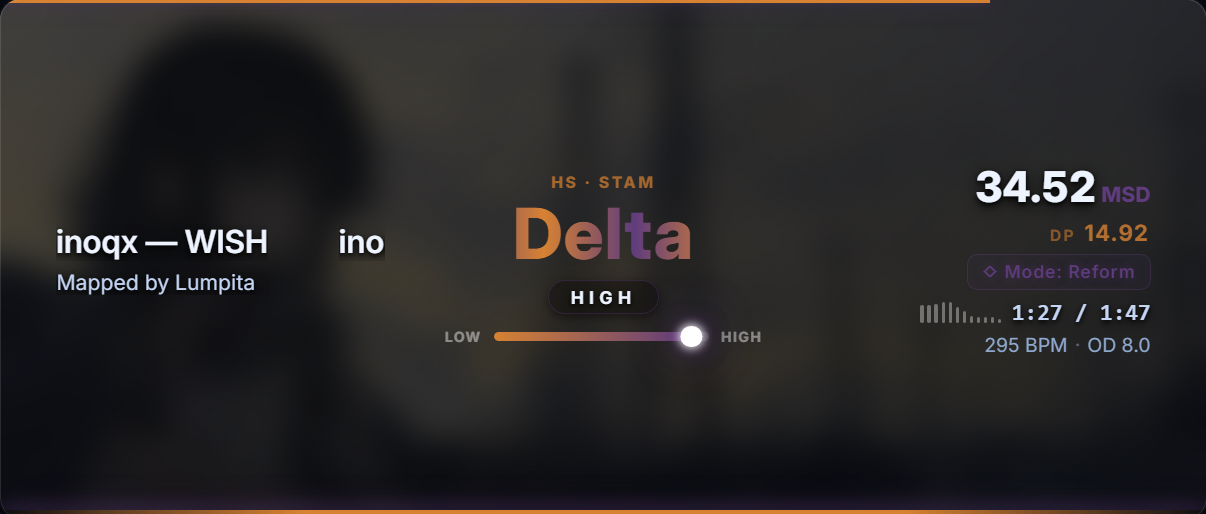
  • Hero-Dan Lazer (ui-8) — Dan-focused HUD with giant Dan rank title, animated DP with sublevel pills, mode category badge, and an expandable map-info drawer toggled by key L. Calibrated default window size (594×234 / 594×138 at 94% zoom).
  • All 8 skins are now selectable from any settings panel with instant runtime skin switching.

Sunny Strain Components Engine

  • The calculation pipeline now exposes jbar_max, pbar_max, xbar_max, and abar_mean in the analysis payload for both 4K and 7K maps to drive live strain bars in skin 7.

Pre-Open-Source Calculation Fixes

  • 7K Difficulty Detection Under Speed Mods — The 7K pipeline now uses rate-aware primary SR analysis and boundary interpolation under DT/HT/osu!lazer custom clock rates.
  • Custom-Rate SR Monotonicity (osu!lazer)analyze_map now interpolates results across nearest native clock rates (0.75× / 1.0× / 1.5×), ensuring strictly monotonic Dan estimates across any custom speed multiplier.

UI & System Bug Fixes

  • Fixed skin-switch crash where ui.panel was null on overlays without #danPanel.
  • Fixed L-key toggle state sync so expandable skins collapse and expand properly.
  • Fixed locked-mode scaling clipping on skins 7 & 8 by replacing vh units with percentage height chains.
  • Fixed window reset button (Ctrl+R) to restore skin 8's calibrated default size (594×234).

Calculation Pipeline & Detection Fixes

  • 7K Dan Estimation Rewrite — The 7K system now uses the same boundary interpolation method as Reform and all other scoring modes. Previously the overlay picked the nearest tier by median distance, which caused ambiguous maps near tier boundaries to display the wrong rank. The new method uses midpoints between adjacent tier medians, eliminating the ambiguity.
  • Celestial & LN Course Sublevel Fix — The maximum DP fraction for Celestial and LN Course modes was capped at 0.50, preventing the overlay from ever showing a "High" sublevel. Both caps have been corrected to allow the full 0.00–0.99 range, consistent with Reform, Signicial, and Shoegazer.
  • Map Detection Fix — Certain .osu files from external editors contain blank lines inside the hit objects section. The overlay's parser did not skip these blank lines and crashed on float() conversion, returning star rating 0.0. This caused maps to display as "1st Dan Low" regardless of actual difficulty. The fix skips empty lines during parsing, restoring correct detection on all maps.
  • SR Engine Failure Guard — When the star rating engine fails for any reason (file locked by the game, corrupted timing data, encoding issues), the overlay now returns an explicit error payload instead of passing SR=0.0 through the ranking pipeline. This prevents the misleading "1st Dan Low" display on genuinely undetectable maps.
  • BPM Rate Adjustment — BPM values are now multiplied by the active speed mod rate (DT ×1.5, HT ×0.75, osu!lazer custom rates). Previously the overlay always displayed the original BPM regardless of mod selection.

Bug Fixes

  • Fixed a visual bug where the results screen text would always display "Perfect!" at the end of a play, regardless of the actual final accuracy achieved.

Performance Optimisation

  • Calculation speed optimization — The analysis pipeline was optimized to eliminate freezes when navigating between beatmaps. Map switching is now much smoother!
  • Symmetrical adjustments to sublevels from low to high — Low to High sublevels have been adjusted with symmetry (20% bands) to ensure bars and text always match perfectly across all modes.

(well, on my shitty pc I didn't notice a difference in calculation speed but in theory it should work lol)

7K Support
3 New Skins
Celestial DP

osu!mania 7K — Official Support

  • 15 tiers calibrated — from 0th Dan through Stellium, sourced from 7K Regular Dan practice packs. Each tier has a median SR value enforcing strict monotonicity across the full scale. on 688 test maps using general means and 45 from the original maps.
  • Per-skillset SR means — Jack, Tech, Speed, Stream, and Hybrid rulers calibrated independently. Same architecture as the 4K Reform engine.
  • Sublevel detection — Low, Mid-Low, Mid, Mid-High, High — derived from fractional position within each tier's min/max range.
  • DP scale: 0th = 0.0 through Stellium = 14.0. Beyond Stellium displays as a distinct state.

Three New Skins

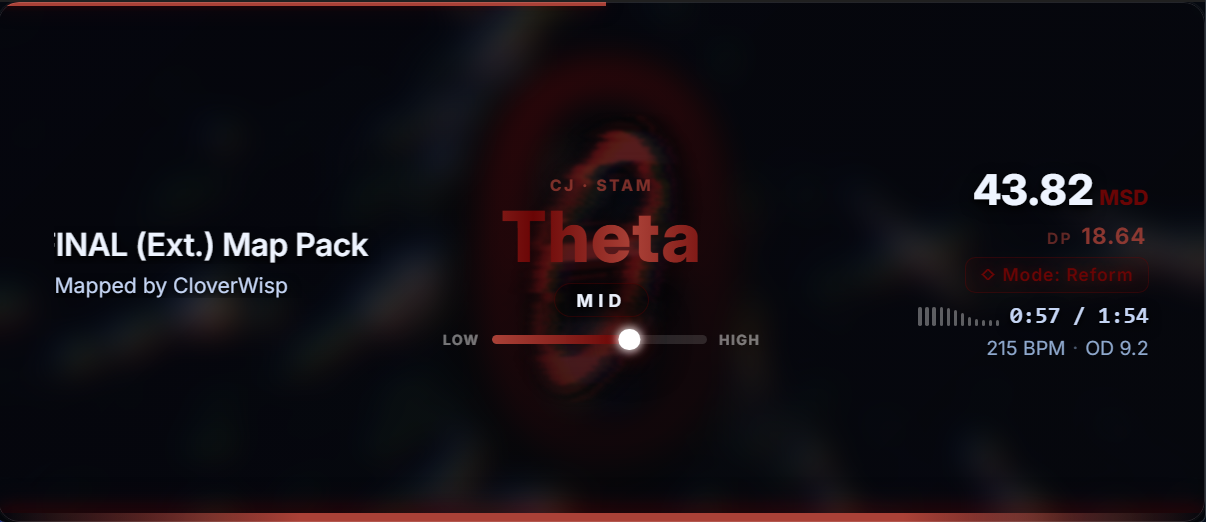
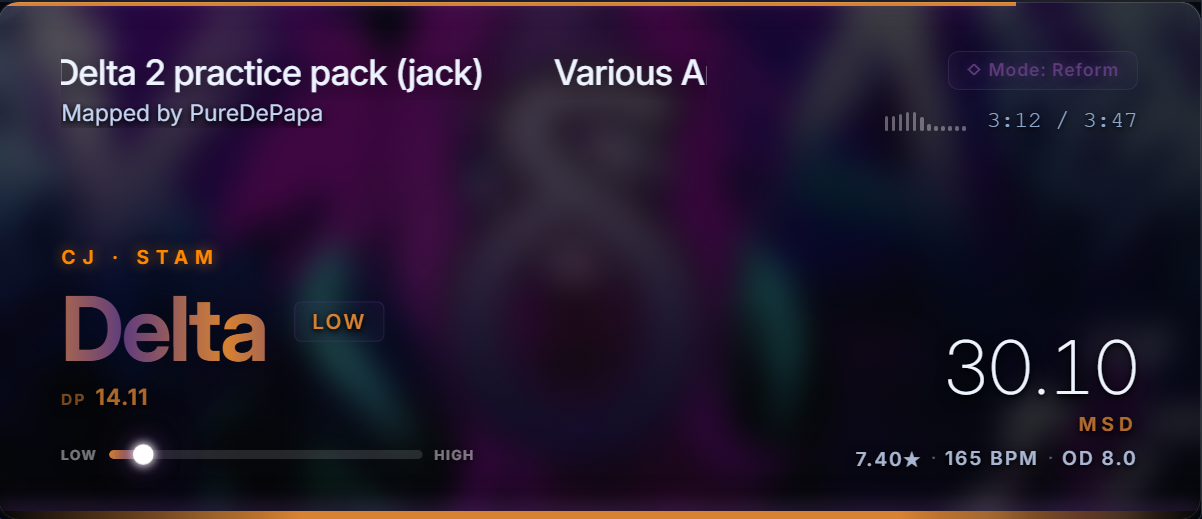
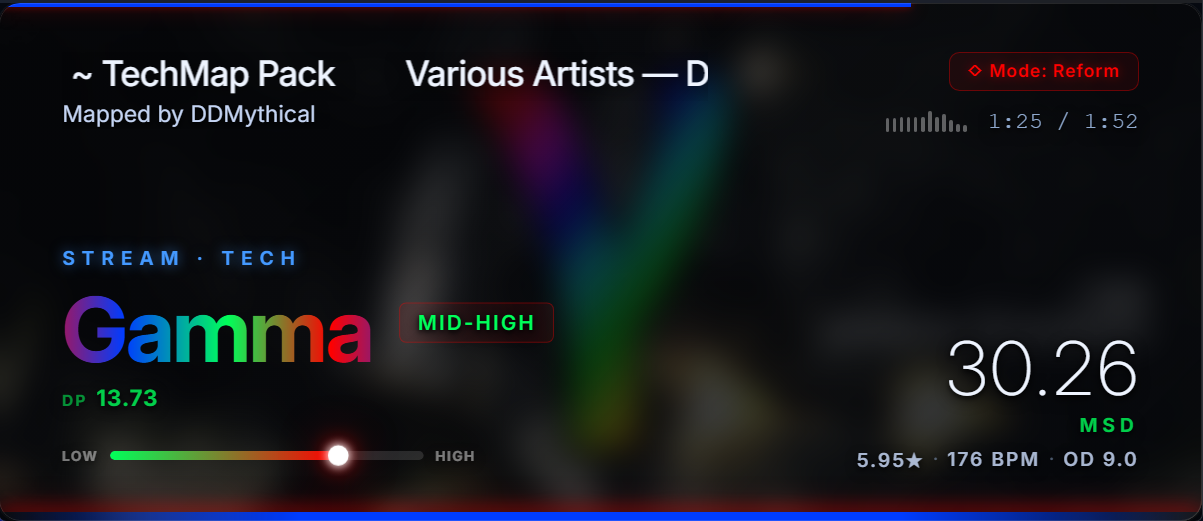
  • Vertical Monolith (ui-4) — Frosted glass card with circular SVG ring synced to DP fraction. Gradient dan name, 5 progressive sub-bars, ambient radial background that shifts per tier palette.
  • Broadcast Bar (ui-5) — Horizontal split layout designed for OBS. Colored left panel carries the DP as a large number; dark right panel shows the dan name as gradient text. Manual border brightness and thickness controls.
  • Vignette (ui-6) — Oversized typography. 10rem DP integer, 7rem rank name, rotated "DP" label, oval sub-bars, glass stats panel with tier-colored accent.
  • All three share: L-key expandable stats drawer, demo cycling mode, full settings panel integration, and registration in the skin switcher.

Celestial Mode — DP Scale

  • 35-slot continuous scale — DP runs from 1.0 (Beginner I) to 35.0 (Singularity V), matching the Reform engine's interpolation architecture.
  • Boundary interpolation on SR means gives fractional DP — confidence derived from position within each slot's range.
Download v2.0

Signicial Mode Improvements

  • Eta & Theta stages — Two new scales added to the Signicial scoring mode, with Greek symbol background images and custom colors. Thanks to the Signicial dan creator for the stage data and feedback.
  • Initial calibration pass for all 18 stages (I through Theta/θ).
  • Greek stage icons (Alpha through Theta) now display as background images when in Signicial mode.
  • Accuracy tracking implemented: ~48% on the 72-map test set. Future per-skillset rulers will improve this.

General

  • Frameless window mode — Toggle the window title bar from the settings panel (Ctrl+, → Visual → Frameless Window). Requires a restart to fully apply.
Download v1.8.1

New Features

  • Graph skin — New third visual design with a real-time NPS density chart. Inspired by the Daniel overlay. Switch skins anytime from the settings menu.
  • Custom window size — You can now type exact pixel dimensions in the settings panel. Note: the window size doesn't persist across restarts yet — you'll need to open settings and click Save after launching. The typed values do persist, just the resize step happens on Save only. I'll fix this soon.
  • Redesigned NPS chart generator — The export chart has been rebuilt with a cleaner Canvas renderer. Press G while the overlay is focused to generate one.

Calibration

  • General adjustments — Tier boundaries recalibrated for 1st through 9th Dan. Should be more consistent across all skillsets now.

Feedback

  • If you spot any issues or have suggestions, feel free to reach out on Discord: agent_ale. Always open to feedback!
Download v1.8 (old)

Calibration & Fixes

  • Reform SR means recalibrated — All tier boundaries updated against the official Reform pack. Accuracy improved noticeably across all skillsets.
  • Speedjack maps — Maps with dense speedjack patterns that were reading low due to a misclassification now get a correction pass. Results are better; still experimental.
  • Various minor SR adjustments and visual fixes carried over from v1.7 development.
Download v1.7.5 (old)

New Features

  • Dan Display Scale — New slider in Settings to resize the overlay elements.
  • LN Course manual toggle — Pin LN Course mode manually with Ctrl+5 regardless of map detection.

Bug Fixes

  • Several display and layout issues from v1.6 fixed across both skins.
  • BPM display, result text, and Settings panel resize issues corrected.
  • LN Course badge behavior fixed when switching maps.
Download v1.7

Modern skin — the new design

  • Added a new Modern skin — the current new layout is a compact single-row design with dan name, map info, and sublevel displayed side by side.
  • The Classic skin remains available as the original overlay style.
  • Both skins share all scoring modes, MSD data, and visual effects.
  • Switch at any time from the settings panel (Ctrl+, → Skin).

Settings Persistence

  • All visual settings (Blur, Brightness, Logo Size, Logo Opacity, Layout, Skin, Keybinds) are now saved to disk and restored on every launch.
  • Stored locally in %APPDATA%\DanOverlay\settings.json — no need to reconfigure after updates.
  • Fixed a race condition where settings could be silently lost on close.

Visual Customization

  • New Logo Size and Logo Opacity sliders in the settings panel to control the dan background watermark.
  • Changes apply live as you drag and are saved automatically.

Startup & Onboarding

  • The overlay now searches for tosu first on launch, then transitions to intro screens — no more splash appearing before connection.
  • Tutorial prompt has a new “Don’t show again” button persisted to disk.
  • The Quick Tutorial is accessible at any time from Ctrl+, → Help → Start.

Bug Fixes

  • Fixed settings panel layout breaking in the Modern skin (buttons floating outside the panel).
  • Fixed Celestial/Signicial/Shoegazer PNG paths in the Classic skin.
  • Fixed long Celestial tier names overflowing into the map column.
  • Fixed overlay staying blank after switching skins.
Download v1.6

Scoring Modes

  • Added 4 alternating scoring modes: Reform, Celestial, Signicial, and Shoegazer — each with a fully independent difficulty model, rank scale, and visual identity.
  • Switch modes on the fly: Ctrl+1 for Reform, Ctrl+2 for Celestial, Ctrl+3 for Signicial, Ctrl+4 for Shoegazer.
  • Each mode displays its own stage name, tier label, and progress bar calibrated to its specific rank ladder.

LN Course — Automatic Detection

  • New dedicated LN Course mode with a regression model trained on long-note density and hold patterns.
  • Activates automatically when the current map exceeds 45% LN ratio — no manual switching needed.
  • LN Course coexists with the 4 manual modes: it overrides the display only while a qualifying map is selected.

Beyond Ceiling

  • All 5 modes now support a Beyond suffix when difficulty exceeds the highest tier threshold.
  • The stage label stays visible — e.g. Tachyon — Beyond — instead of an empty or broken state.

Resize & Controls

  • Press R to toggle between Free resize (drag freely) and Locked resize (aspect-ratio enforced). Replaces the old streamer/personal mode picker.
  • Press Ctrl+R to reset the window to its default size instantly.
  • Press Tab to pin or unpin the overlay over osu!, keeping it fully interactive.

Intro & UI

  • New What's New splash screen on first launch after an update.
  • Interactive Scoring Modes hint screen — press Ctrl+14 to try each mode before the overlay starts.
  • Celestial mode icons resized for better visual balance.
  • Intensity bar removed in Shoegazer and Celestial modes (not applicable to those scales).

Compatibility

  • Added automatic WebView2 Runtime detection on startup. If it's missing, the overlay now shows a clear error dialog with a direct download link instead of opening a blank white window. (In theory it should work — I had nobody to test it with, lol. If you run into any issues, feel free to reach out on my Discord: agent_ale.)
  • Extended GPU compatibility flags to reduce rendering issues on certain hardware configurations.
Download v1.5
  • Calibration improvements for more accurate difficulty ratings
  • Refined rank boundary thresholds for smoother tier placement
  • Visual polish and layout refinements in the overlay panel
  • Minor stability improvements
Download this version
  • Fixed startup bridge race: map analysis no longer stucks on COMPUTING
  • Fixed first-map blackout: removed full black transition
  • Recalibrated Dan rulers with practice packs + Reform finals
  • Tuned Iota anchors and sublevel boundaries
  • Fixed speedjack misclassification regression
Download this version
  • Mode picker on launch: Personal or Stream mode
  • Stream mode: 840×384 window with 1.2× zoom for OBS
  • Personal mode: window stays on top of osu!
Download this version
  • Initial release
  • Live Dan tier estimation — Alpha through Kappa
  • Skillset classification: CJ · JS · STAM · HS · TECH
  • PNG chart export — full-res density graph
Download this version